
Seasonal hurricane forecasts are useful, but they answer a question most utilities aren’t actually asking. A forecast tells you roughly how many storms are likely to form across an entire ocean basin. It does not tell you whether one of them will sit over your service area for two days and put water where your equipment is.
Quiet seasons produce expensive storms. A tropical system that never reaches hurricane strength can still flood a lift station, take down a tower, and knock out power for a week. Inland rainfall — not wind speed — drives a large share of the damage from tropical systems, which is why a storm nobody remembers by name can still be the one that costs you a season’s budget.
So the practical question isn’t how active the season will be. It’s whether your remote monitoring will still be telling you the truth when the weather arrives.
Here are five things to check before it does.
The short version
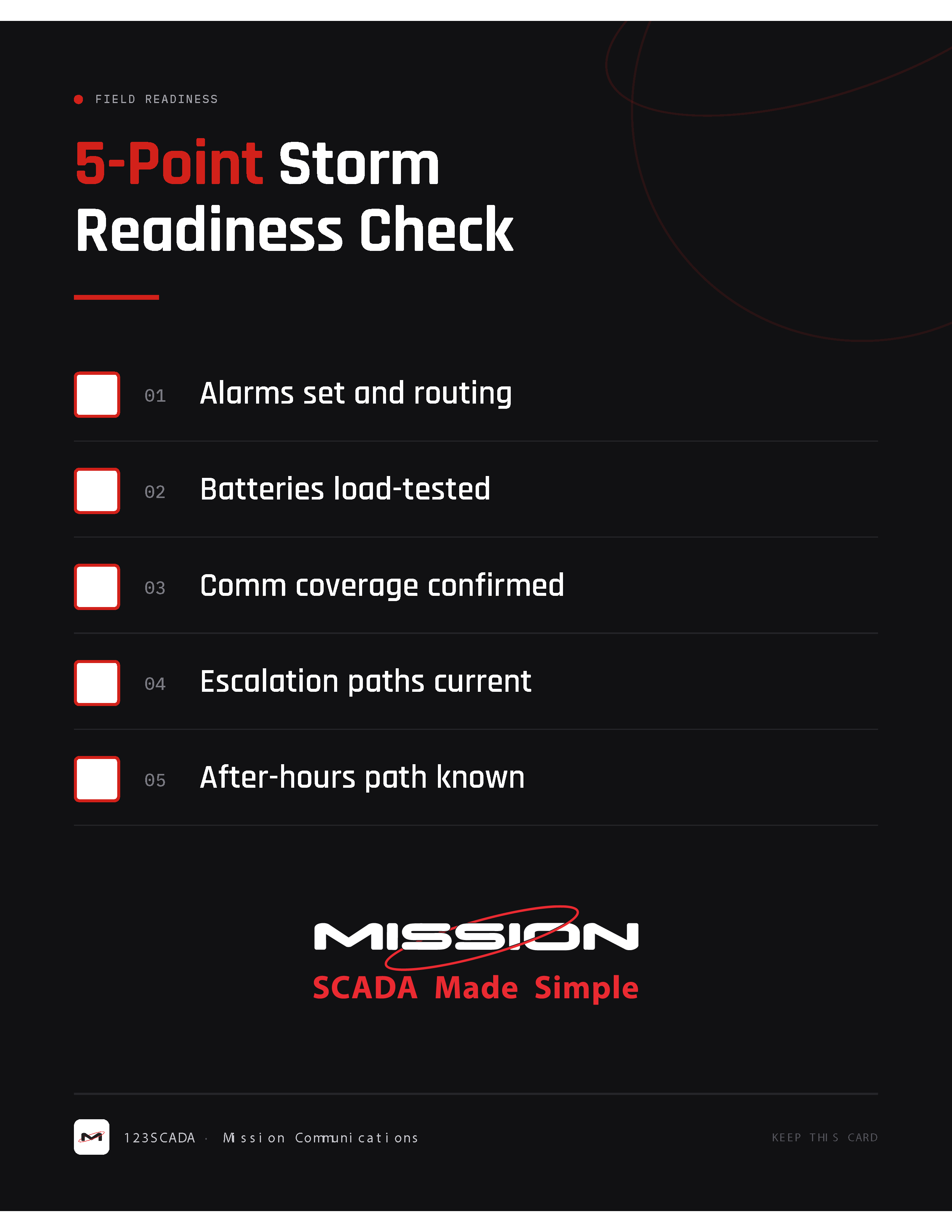
If you only have twenty minutes, verify these five things in 123SCADA and in the field:
- Alarms are set and actually routing — including a signal loss alarm rule on every device.
- Batteries are healthy — pull AC power for six minutes and confirm the failure call-out arrives. Replace batteries about every five years.
- Communication coverage is confirmed — signal strength checked at each site, not assumed.
- Escalation paths are current — no former employees, no disconnected numbers.
- After-hours support is a known process — your team knows who to call at 2 a.m. and how.
And one more that isn’t a check but matters just as much: keep spare radios, mainboards, antennas, cables, and transducers on the shelf. Diagnosing a fault you can’t fix for a week is its own kind of outage.
Almost none of this requires new equipment. All of it is the difference between finding out about a problem from your monitoring system and finding out about it from a resident.
When to run this check
The Atlantic hurricane season runs June 1 through November 30. Most activity falls between mid-August and mid-October, and the climatological peak is September 10.
| Timing | What to do |
|---|---|
| Spring (before June 1) | Run the full five-point check. This is the ideal window. |
| Early August | Re-verify alarms, batteries, and contact lists before the peak. |
| Mid-August to mid-October | Peak activity. Fix only what’s broken; avoid major changes. |
| After any named storm | Post-event verification and battery replacement. |
If spring has already passed, the next best time is right now. A check completed in August still covers the highest-risk stretch of the year — and the five items below take an afternoon, not a project plan.
As NOAA National Weather Service Director Ken Graham has put it, “it’s important to prepare for every storm that’s projected to impact your area, even if it never reaches hurricane strength.”
1. Confirm your alarms are set — and that they route somewhere
The check: Every Mission RTU should have an active signal loss alarm rule, and every alarm should have a verified destination.
A signal loss alarm is the one alarm that tells you your other alarms have stopped working. If a site loses AC power, loses its antenna, or floods out entirely, the absence of data is the alarm. Without that rule in place, a dead site looks identical to a quiet site on your dashboard — and during a storm, quiet is exactly what you would expect to see from a well-behaving station.
What to verify in 123SCADA:
- An active signal loss alarm rule exists for every device, including seasonal, low-traffic, and recently added sites.
- High-water, pump fail, and power fail alarms have correct setpoints for storm conditions — not setpoints tuned for a dry stretch of summer.
- SMS notifications are enabled for the people who will be on call. Text messages get through on degraded networks more reliably than voice calls or email, and you can acknowledge, silence, and work multiple alarms from a phone.
- Weather notifications are turned on. Under Start Menu > Setup > Preferences > Customer Preferences, select the nearest and most reliable weather station; under User Preferences, enable the weather notification setting. You can also assign a weather station to each individual Mission RTU, which is worth doing when your service area spans a wide geography.
The trap: Alarms configured months ago by someone who has since changed roles. Pull the alarm list, read it out loud in a staff meeting, and confirm each line is still correct. It takes fifteen minutes.
2. Test battery health — and prove the AC failure alarm fires
The check: Cut AC power to the unit for six minutes or longer and confirm you receive an AC failure alarm call-out. Replace RTU batteries about every five years.
This is the highest-value test on the list, because it exercises the entire chain in one action. The battery has to carry the unit. The RTU has to detect the loss. The alarm has to fire. And the call-out has to reach a real person. If any link is broken, you find out on a clear day instead of during the storm.
How to run it:
Turn off AC power to the Mission unit and leave it off for six minutes or longer. AC alarms are delayed by approximately five minutes, so a shorter outage won’t produce a notification — that delay is deliberate, and it’s the reason brief utility blips don’t wake your on-call operator at 3 a.m. After six minutes you should receive an AC failure alarm call-out.
If you don’t get that call-out, you’ve found a real problem, and you’ve found it in August rather than in the middle of an event.
What battery voltage does and doesn’t tell you:
A Mission RTU measures battery voltage in real time and reports it. That’s useful, but it is not a real-world, full-load test. Voltage can read acceptable right up until the battery actually has to carry the unit through an outage — which is exactly when you learn the difference.
MyDro RTUs are the exception. The advanced electronics in a MyDro RTU automatically perform a battery-under-load test similar to the manual procedure above. Those values transmit hourly and produce low battery voltage notifications when appropriate, so the load question is answered for you between site visits.
For everything else, age is the most reliable indicator you have. Replace RTU batteries approximately every five years, regardless of what the voltage reads.
What to do in the field:
| Task | Why it matters |
|---|---|
| Pull AC power for 6+ minutes, confirm the call-out | Tests battery, RTU, alarm, and contact list at once |
| Replace batteries on a ~5-year cycle | Age predicts storm failure better than voltage does |
| Check reported battery voltage in 123SCADA | Catches an obviously failing battery early |
| Stage spares on a bench charger | Swap-and-restore beats waiting on a shipment |
| Clean and re-angle solar panels | Dust and sun position both cut output |
| Confirm generator fuel and start-up | A generator that won’t start is a lawn ornament |
| Prioritize which sites get the generator | Decide now, not during the event |
For solar-powered sites, consider whether a larger panel would carry the unit through several consecutive overcast days — which is what a slow-moving tropical system actually delivers. Using 0–5 VDC transducers on solar units also helps extend battery life.
And make sure your generator plan names specific sites in priority order. Crews routinely end up making that call in the middle of an event, with water rising and phones ringing. It goes better on paper, in advance.
3. Verify communication coverage at every site
The check: Confirm actual signal strength at each Mission RTU, and know which sites are marginal before the storm makes them worse.
Cellular coverage is not static. Carriers re-tune and decommission towers, new construction goes up between your antenna and the nearest site, and vegetation grows over a season. A site that had comfortable signal margin last fall may be running thin now — and storm conditions degrade signal further through rain fade, tower congestion, and tower outages.
Walk through this at each site:
- Check reported signal strength in 123SCADA and flag anything marginal.
- Inspect antennas and coax for corrosion, water intrusion at connections, and physical damage. Confirm mounting hardware is tight — sustained wind finds every loose bracket.
- Verify the antenna is still oriented as installed and hasn’t been knocked or rotated by mowing crews or contractors.
- For sites you know are marginal, evaluate whether a higher-gain antenna or relocated mount would buy you margin now.
This is also the moment to confirm every device is installed to spec. Improperly installed units fail disproportionately in bad weather. Current installation guides are available in 123SCADA under Start Menu > Help > Documents.
Related reading: If any of your sites still depend on copper phone lines, The POTS Sunset is Here: What it Means for Your Lift Stations covers what’s changing and why cellular telemetry has become the practical default.
4. Update your escalation paths
The check: Every notification list should be reviewed name by name, with current phone numbers and a defined call-out order.
This is the least technical item on the list and the one most likely to fail. Alarm routing lists drift. People retire, change cell numbers, move departments, or leave. Contractors change. And nobody notices, because the list is only exercised under exactly the conditions where you cannot afford to discover a dead number.
Review and confirm:
- Every person on every notification list still works there and still holds that responsibility.
- Phone numbers are current — verify them, don’t assume.
- The escalation order is right: who gets the first alarm, who gets it if the first person doesn’t acknowledge, and how long the system waits before escalating.
- Someone is designated for each shift, including weekends and holidays. Storms do not respect the schedule.
- Your on-call staff know how to acknowledge and silence alarms from a phone, and have done it at least once recently.
Do this too: Run a live test. Trigger a test alarm and confirm every person on the list actually receives it on the device they’ll have with them. A list that looks correct on screen and a list that works are not the same list.
5. Know your after-hours support path
The check: Your operators should know exactly how to reach technical support outside business hours, and that information should be posted somewhere they’ll find it at 2 a.m.
When a site goes dark during a storm, the operator on call is often working alone, in the dark, possibly in a truck, with a phone at 30 percent. That is not the moment to go looking for a support number.
Before peak season:
- Post Mission technical support contact information where on-call staff will actually see it — in the truck, at the plant, and in your phone’s contacts, not only in a binder in an office that may be closed.
- Make sure more than one person knows how to open a support case and what information to have ready: site name, device, what the system last reported, and what’s been tried.
- Save your Mission distributor’s contact information alongside it.
- Document your own internal escalation for the operator: after support, who at the utility gets called next.
Mission technical support is available at TechSupport@123mc.com or 877.993.1911, option 2.
And one thing that isn’t a check: stock the spares
The check: Keep backup radios, mainboards, antennas and cables, and transducers on the shelf.
This one comes up after nearly every major storm, and it’s the most frustrating version of the problem, because everything worked. The alarm fired. The operator got the call-out. They drove to the site, diagnosed the fault correctly, and knew exactly which part had failed.
And then the repair stalled for a week, because the replacement part had to be ordered — often while freight and carriers were still disrupted by the same storm that caused the damage.
Identifying the problem and being able to fix it are two different capabilities. The second one is inventory.
What to keep on hand:
| Spare | Why it’s worth stocking |
|---|---|
| Radios | Lightning and surge damage takes these out, and a dead radio means a dark site |
| Mainboards | Board-level damage is not a field repair; a swap restores monitoring same-day |
| Antennas and coax | Wind, flying debris, and water intrusion at connections are common storm failures |
| Transducers | Submerged and exposed sensors both take damage; a spare resumes monitoring immediately |
| Batteries | Keep them on a bench charger so they’re ready to install, not ready to charge |
This is the cheapest item on the entire list to act on. It’s a purchase order, not a project — and it’s the difference between a site being down for an afternoon and a site being down until the freight moves.
Print this: the 5-point check
| # | Check | Where | Done |
|---|---|---|---|
| 1 | Signal loss alarm rule active on every device | 123SCADA | ☐ |
| 1 | Alarm setpoints correct for storm conditions | 123SCADA | ☐ |
| 1 | SMS and weather notifications enabled | 123SCADA | ☐ |
| 2 | AC power pulled 6+ min, failure call-out received | Field | ☐ |
| 2 | Batteries replaced within the last ~5 years | Records | ☐ |
| 2 | Battery voltage reviewed for all devices | 123SCADA | ☐ |
| 2 | Spare batteries staged on a bench charger | Order from Mission | ☐ |
| 2 | Solar panels cleaned and re-angled | Field | ☐ |
| 2 | Generator fueled, tested, sites prioritized | Field | ☐ |
| 3 | Signal strength verified at every site | 123SCADA + Field | ☐ |
| 3 | Antennas, coax, and mounts inspected | Field | ☐ |
| 3 | Installations confirmed against current guides | Help > Documents | ☐ |
| 4 | Notification lists reviewed name by name | 123SCADA | ☐ |
| 4 | Escalation order and timing confirmed | 123SCADA | ☐ |
| 4 | Live test alarm sent and received by all | 123SCADA | ☐ |
| 5 | Support contacts posted where on-call staff will see them | Everywhere | ☐ |
| 5 | More than one person knows how to open a case | Staff | ☐ |
| + | Spare radios and mainboards in stock | Order from Mission | ☐ |
| + | Spare antennas and coax in stock | Order from Mission | ☐ |
| + | Spare transducers in stock | Order from Mission | ☐ |
Frequently asked questions
How far ahead of hurricane season should a water utility check its SCADA system?
Ideally before June 1, when the Atlantic season opens. If that window has passed, the next best time is before mid-August, when the climatological peak begins. The peak runs through mid-October and centers on September 10, so a check completed in August still covers the highest-risk stretch of the year.
What is a signal loss alarm and why does it matter during a storm?
A signal loss alarm notifies you when a monitored site stops communicating. During a storm this is often the first indication that a site has lost power, lost its antenna, or flooded. Without it, an offline site is indistinguishable from a site that simply has nothing to report.
Do I still need to prepare if the hurricane forecast is below normal?
Yes. Seasonal forecasts predict basin-wide activity, not whether a storm reaches your service area. A single tropical system can cause severe damage in an otherwise quiet season, and inland rainfall and flooding drive much of the damage from tropical systems regardless of a storm’s category. Preparation should be tied to your exposure, not to the seasonal outlook.
How should I test RTU batteries and AC power failure alarms before storm season?
Turn off AC power to the unit for six minutes or longer. AC alarms are delayed approximately five minutes, so a shorter outage won’t trigger a notification. You should receive an AC failure alarm call-out. This single test verifies the battery, the RTU, the alarm rule, and your contact list at the same time.
Does a Mission RTU load-test its own battery?
A Mission RTU measures battery voltage in real time and reports it, but that is not a real-world, full-load test. MyDro RTUs are the exception: their electronics automatically perform a battery-under-load test, transmit those values hourly, and generate low battery voltage notifications when appropriate.
How often should RTU batteries be replaced?
Approximately every five years. Age is a more reliable indicator than voltage, because a battery can read acceptable at rest and still fail to carry the unit through an actual outage.
What spare parts should a water utility keep for storm season?
Backup radios, mainboards, antennas and cables, and transducers, plus spare batteries kept on a bench charger. Utilities frequently diagnose a storm-damaged component correctly and then wait days or weeks for a replacement to ship, often while freight is still disrupted by the same storm. Keeping these parts on the shelf converts a multi-day outage into a same-day swap.
When does the Atlantic hurricane season peak?
The Atlantic hurricane season officially runs June 1 through November 30. Most activity occurs between mid-August and mid-October, with the climatological peak on September 10.
What’s the most common remote monitoring failure during a storm?
Not hardware — contact lists. Alarm notification lists that were accurate when they were built but were never updated as staff changed. The alarm fires correctly and reaches a number that no longer belongs to anyone at the utility.
Can I manage alarms from my phone during a storm?
Yes. 123SCADA SMS alarm notifications let you acknowledge, silence, and work multiple alarms from a smartphone. Text messaging is generally the most reliable channel when networks are congested or degraded, which makes it well suited to storm conditions.
One more pass before the peak
The points above cover the failures we see most often when weather turns: alarms that were never set, an AC failure call-out nobody ever tested, batteries quietly past their five-year mark, coverage that was assumed rather than checked, contact lists that went stale, an operator at 2 a.m. with no number to call — and the part that failed sitting on a truck somewhere instead of on your shelf.
None of them are expensive to fix ahead of the season. All of them are expensive to discover during it.
If you do only one thing after reading this, pull AC power at a single site for six minutes and see whether the call-out arrives. That one test tells you more about your storm readiness than any other five minutes you’ll spend.
Ready to learn more about 123SCADA? Find your local Mission distributor or contact Sales@123mc.com. For help preparing your system for extreme weather, email TechSupport@123mc.com or call 877.993.1911, option 2.
Related reading
- Winter Storm Recovery: Essential SCADA Checks for Utility Teams
- RTU Maintenance: The Complete Guide to Preventing SCADA System Failures
- If Your Water/Wastewater SCADA System Doesn’t Tell You This, You’re Flying Blind
- The POTS Sunset is Here: What it Means for Your Lift Stations
References
- National Hurricane Center — Tropical Cyclone Climatology
- NOAA — Hurricane Preparedness
- EPA — Power Resilience Guide for Water and Wastewater Utilities
Mission Communications | 123SCADA | Managed SCADA for Rural Water & Wastewater Utilities