Mission Services
Learn how Mission services will put customers at the center of their SCADA universe. Mission delivers on the promise of a better approach to SCADA—from notifications and reports to the secure 123SCADA web portal and full technical support.
With Mission Services, you can:
- Set alarms to maximize both visibility and productivity
- Utilize a revolutionary interface to build system notification rules
- Access the system from anywhere on almost any device
- Stay aware of what is happening through constantly streaming system data
- Develop a reporting profile to meet the unique needs of any department
- Rely on skilled technical support to resolve issues quickly and keep utilities operational
Alarms Acknowledged in Less than a Minute
The Mission system quickly dispatches alarms to notify customers of issues with pump stations, lift stations, wells, booster stations, PRV stations, and more. This helps reduce power usage, pump wear, and overtime. The Mission notification capability scales on demand to keep pace with the installed base. The system enables users to create simple or complex call-out schedules. Real-time alarms are delivered via phone call, text message, email, fax, pager, and even to an existing HMI. Alarms can be acknowledged via all methods—except fax—with a toll-free number provided for alarm acknowledgment. Need complex time-of-day or day-of-week scheduling? No problem. Customers have full control through the 123SCADA web portal.From the intuitive web interface, users can:
- Set up an address book of alarm recipients and create an alarm call-out schedule
- Use the call playback feature to listen to recordings of alarm call-outs, eliminating any questions regarding received alarms
- View who has responsibility for each issue presented
- Access alarm notification outcomes to ensure every issue is addressed to their satisfaction
- Eliminate repetitive alarms through the nuisance alarm reduction features
Users Can Drive the Entire System From the Palm of Their Hand
The state-of-the-art 123SCADA web portal automatically adapts to large monitors, tablets, and smartphones. The dashboard window conveniently displays current information. No manual refresh of windows is required, as data efficiently streams to the browser in real-time. Open multiple windows for a control room effect—with customized desktops that can be saved and called up on demand. Interact with graphs using the mouse wheel or touchscreen. Users can access all historical data from the time of RTU installation. If customers are more comfortable with the legacy web portal, Mission engineers have created a classic view that incorporates all of the modern conveniences of 123SCADA but has menu navigation similar to the legacy site. With a web-based interface, there is no software to install and no need to keep track of software licenses. A customizable overview map shows all units at a glance with more than 50 reports, data views, charts, and graphs optimized for the sensors and features of the remote terminal unit (RTU). All historical data is available for comparative analysis or download to a spreadsheet with powerful analytical tools available, such as Supergraph. And all systems are managed, hosted, and enhanced by Mission.Full Support
Webinars, training tutorials, technical support, and other resources are included at no cost to help users get the most out of their Mission-managed SCADA system.
Current Status
Upon login, the main map page displays all units on a local, customizable map. Clicking on the RTU icons displays additional information such as levels, pressures, and flows. Color codes are used to reflect alarm states, faults, or items of interest. Animated icons show pump running status information delivered from real-time units.
Settings
Users can update alarm thresholds, analog scaling, and other configuration settings at the job site or from the convenience of their office through desktop or mobile platforms.
123SCADA Mobile Application
Much like the 123SCADA web portal available through a mobile browser, the application is intuitive to use and highly customizable, so users can adjust system parameters to optimize their workflow. Live data streams directly to the app, and all menus update to reflect real-time data points.
The 123SCADA mobile app makes on-site RTU setup and configuration easier than ever before. Through the app, users can scan the QR code on their RTU and receive a prompt to access RTU view, RTU info, and RTU config for the selected device. These options allow users to configure RTU call-out settings, view the status of device inputs, and change basic device information.
The integration of geolocation allows users to indicate the location of a device without manually inputting coordinates. Additionally, if they choose to share their location, staff members can be found on the map with location markers. This feature streamlines workflows by providing the ability to route and coordinate service calls.
Using the mobile device camera, users can take pictures of site equipment such as RTUs, antennas, enclosures, and expansion modules, and submit it directly to a support ticket, making it even more efficient for Mission Technical Support to troubleshoot and resolve system issues. The app can be downloaded from the App Store and Google Play Store.

Commands
Mission RTUs feature three output relays that can be controlled from the web portal with the appropriate password. Use these to manually command pumps or open and close valves. Real-time units can be automated via digital interconnect, where a change of a digital input at one location will initiate a relay change at another. Use the optional Tank and Well Control Package to automatically close relays based on an analog value at another location. An optional analog output board is available for setting remote variable values, or with RTUs mirroring one analog value to another location.
Why SaaS?
Mission combines Software as a Service (Saas) with purpose-built hardware to provide a highly reliable and cost-effective, turnkey system. SaaS enables more features with less effort at a substantially lower cost compared to in-house development. SaaS is ideal for applications that are repeatable, like collection system monitoring and smaller water systems.
Mission engineers design the electronics and author the software. No effort is required on the cutomers’ part. Data is presented over the web and enhancements are provided system-wide. Mission is able to provide a reliable, managed service specialized for the water and wastewater industries by combining standardized field hardware, national cellular data networks, and full-featured SCADA into a single solution.
On-Demand Reporting
Access sophisticated data honed into intuitive reports and graphs to provide visibility across the entire water/wastewater landscape.A few examples of what users can do with Mission reports:
- Compare pump station flow with local rainfall to study inflow/infiltration
- Reduce wear and tear on pumps by analyzing pump runtimes for anomalies
- Track site access for maintenance records
- Record chlorine residual for compliance reporting
Ready-made reports and data folders include:
- Alarm, alert, and dispatch logs with easy access to call recordings
- Pump information—runtime, start, alarms, daily, monthly, variance (displayed in tables and graphs)
- Digital data
- Analog data (displayed in tables and graphs)
- Flow data
- Rainfall from National Weather Service or local tipping bucket (tabular data and graphs integrated with other reports such as pump runtime)
- Specialty reports—combined sewer overflow/sanitary sewer overflow (CSO/SSO), Safe Water Drinking Act (SDWA), chlorine, and more
- Engineering reports—capacity estimator, volumetric calculations
- Weekly management reports for overflow system performance
- Disabled inputs reports
- Site access reports—electronic keys
- Website access—by user and IP Address
- Unit health—check-in history, cellular connection history, voltage reports, solar data
Dedicated Support
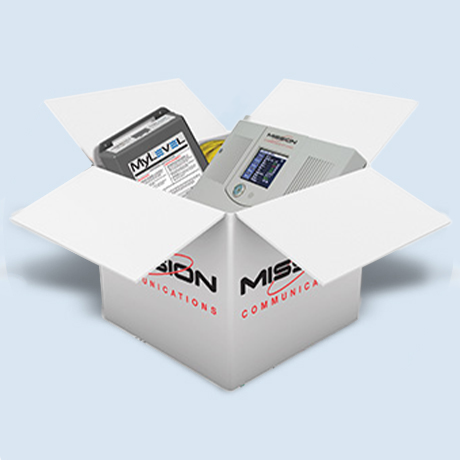
With Mission, the people who answer support calls are technical experts on Mission products and services. If for some reason they cannot immediately address a request, the people who designed and built the system are readily available. Talk directly with Mission technicians or use the ticket section of the web portal. Mission maintains a team of technicians for live telephone technical support from 8 A.M. to 5 P.M. Eastern time. After-hours support is always available on a responsive callback basis for emergencies at no additional charge.Value Proposition
Learn how Mission Managed SCADA enables you to gain complete system monitoring right from your personal device.
Value Proposition Tour